To claim a listing on the AHP, you can follow these general steps:
1. Register an account:
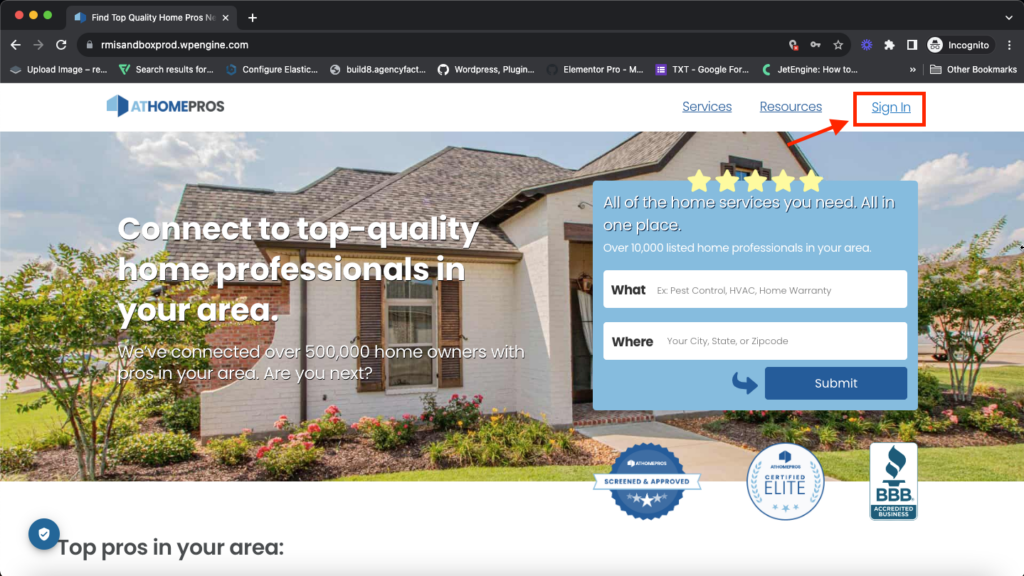
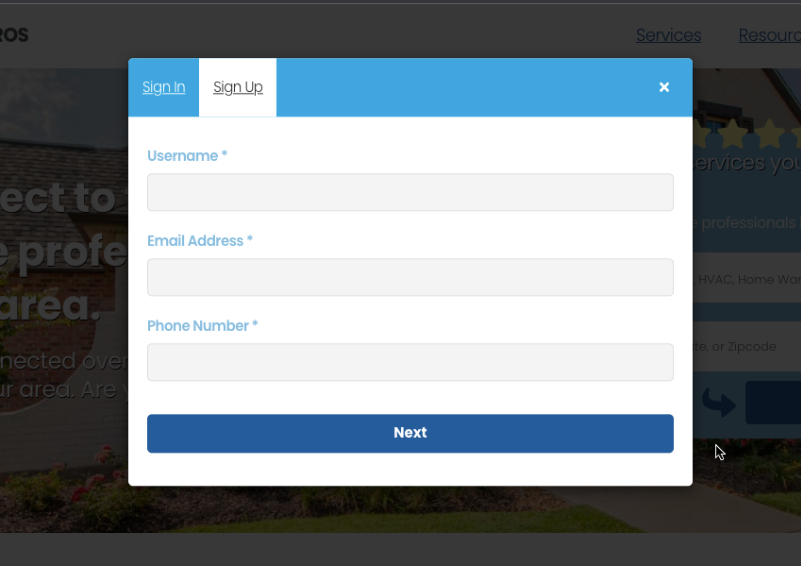
If you haven’t already, create an account on the AHP website by clicking on the “Sign In” button. Provide the necessary details and complete the “Sign Up” process.
2. Log in to your account:
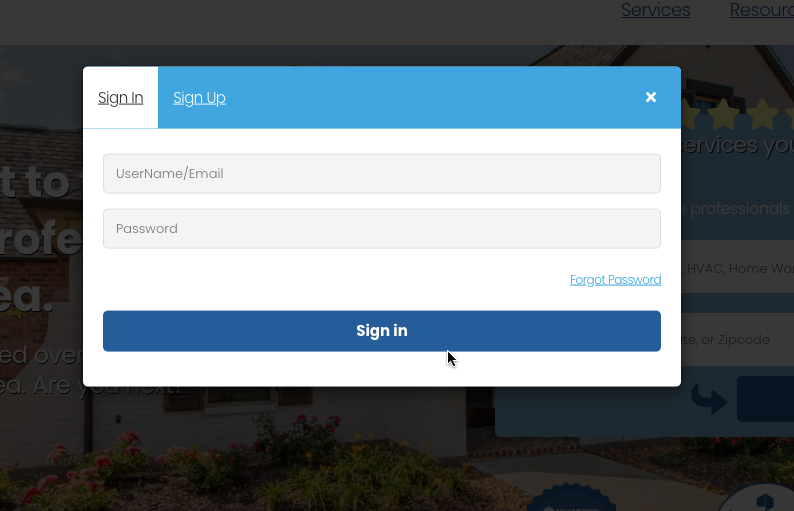
Once you have registered, log in to your account using your credentials (username and password) on the website.
3. Search for the listing:
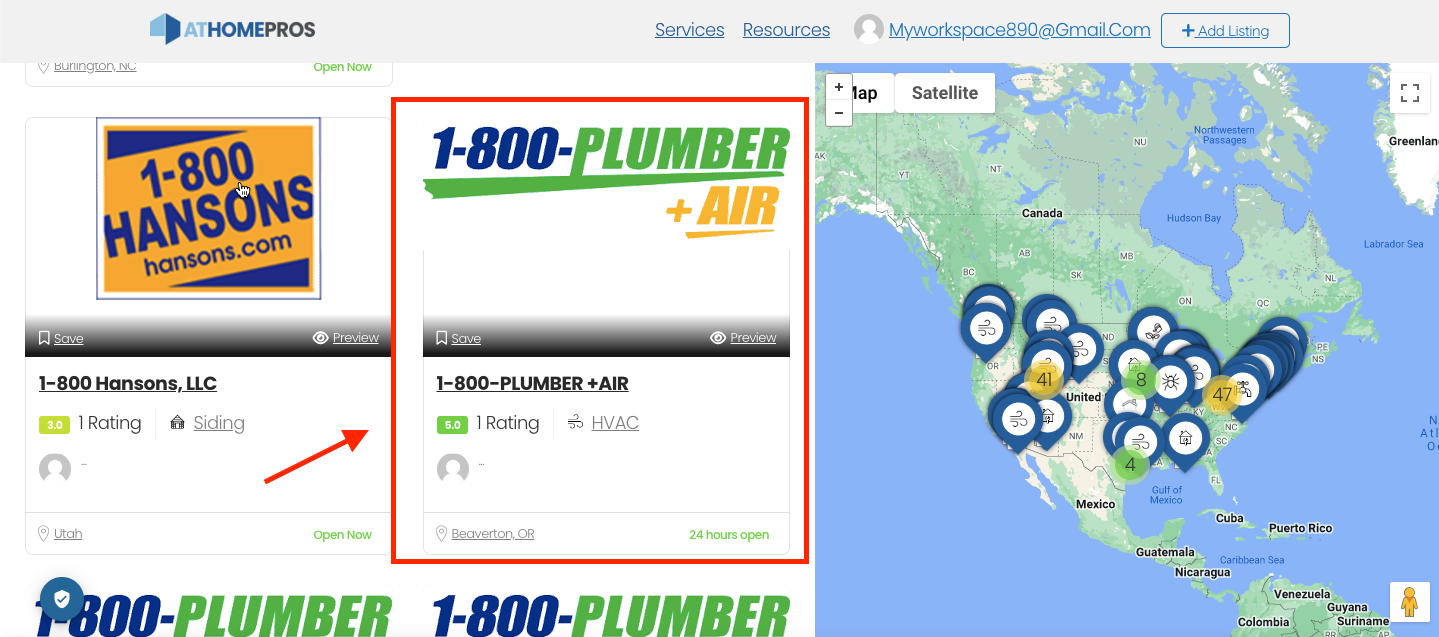
Use the search functionality or browse through the directory to find the specific listing you want to claim.
Use the search functionality or browse through the directory to find the specific listing you want to claim.
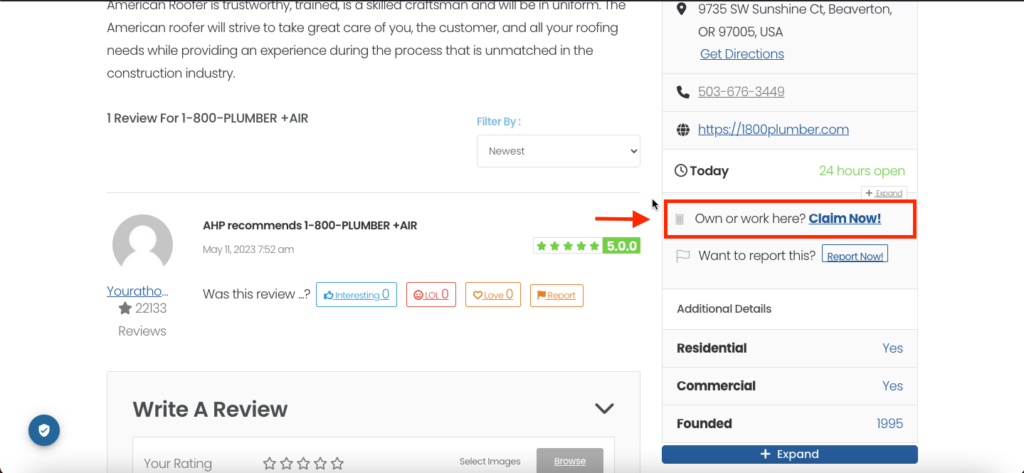
4. Locate the “Claim Listing” option:
On the listing’s page, there should be an option to claim the listing. Look for a button or link labeled “Claim Now!”. Click on “Claim Now!”: Clicking on the “Claim Now!” link will usually take you to a form where you can initiate the claiming process.
On the listing’s page, there should be an option to claim the listing. Look for a button or link labeled “Claim Now!”. Click on “Claim Now!”: Clicking on the “Claim Now!” link will usually take you to a form where you can initiate the claiming process.
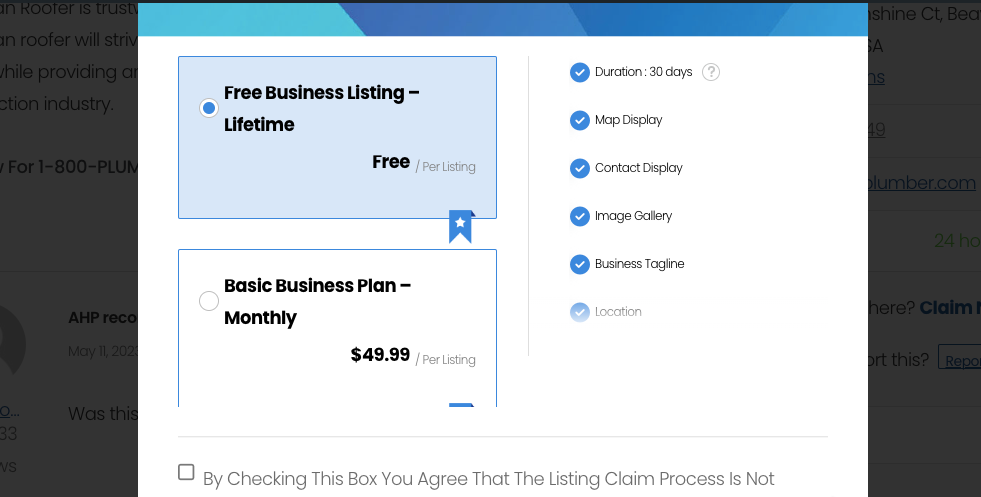
5. Payment & Plan:
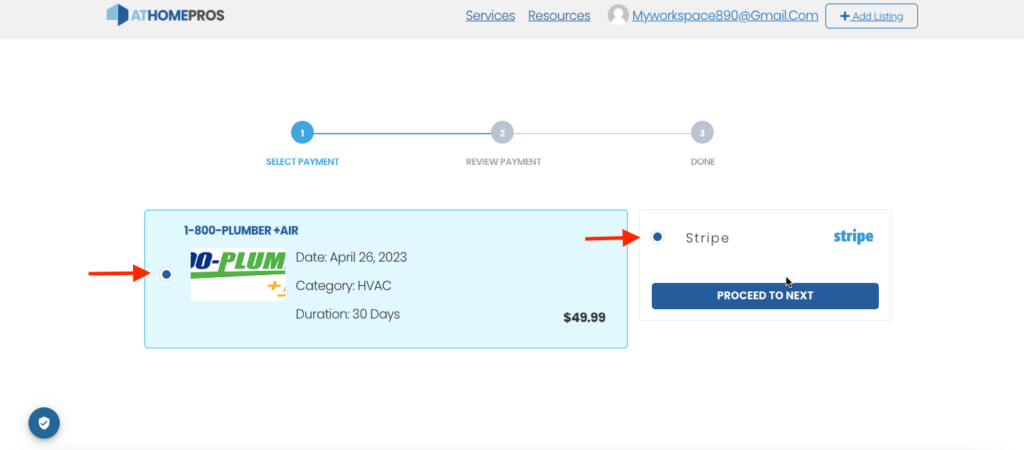
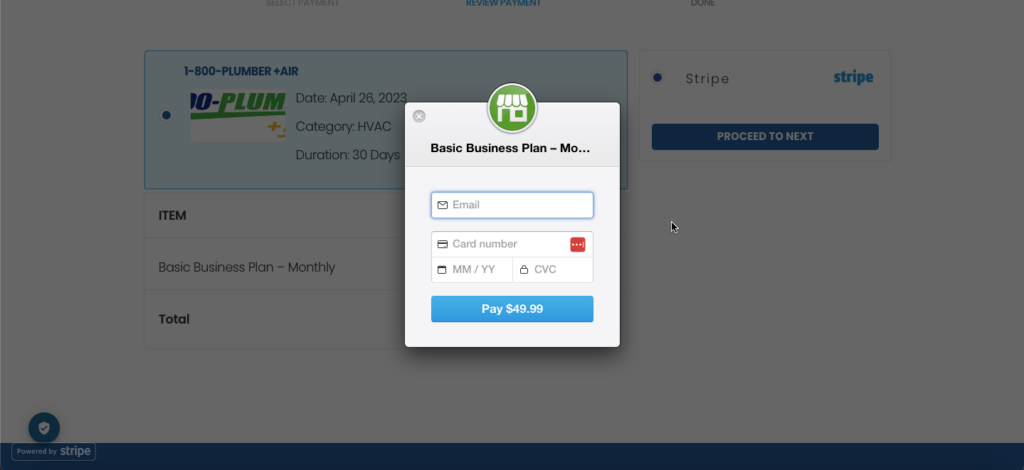
You will be asked to choose a “Paid Claim” plan and once you choose the plan you can proceed to the payment page where you can pay via all Debit/Credit Cards.
6. Provide necessary information:
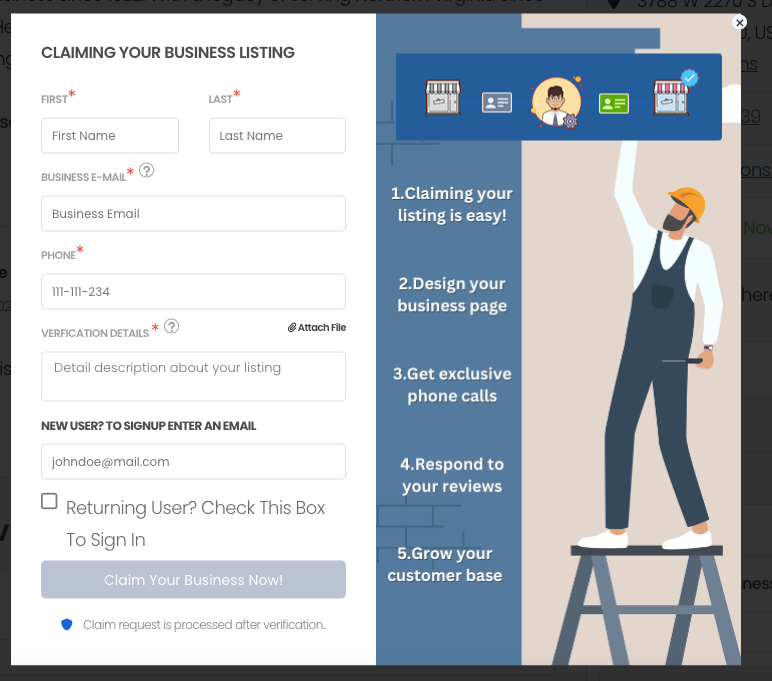
Once the payment has been successfully submitted then you can proceed to the “Claim Form” and fill out all the required information. This may include your contact details, business information, and any additional verification details that require.
Once the payment has been successfully submitted then you can proceed to the “Claim Form” and fill out all the required information. This may include your contact details, business information, and any additional verification details that require.
7. Submit the Claim:
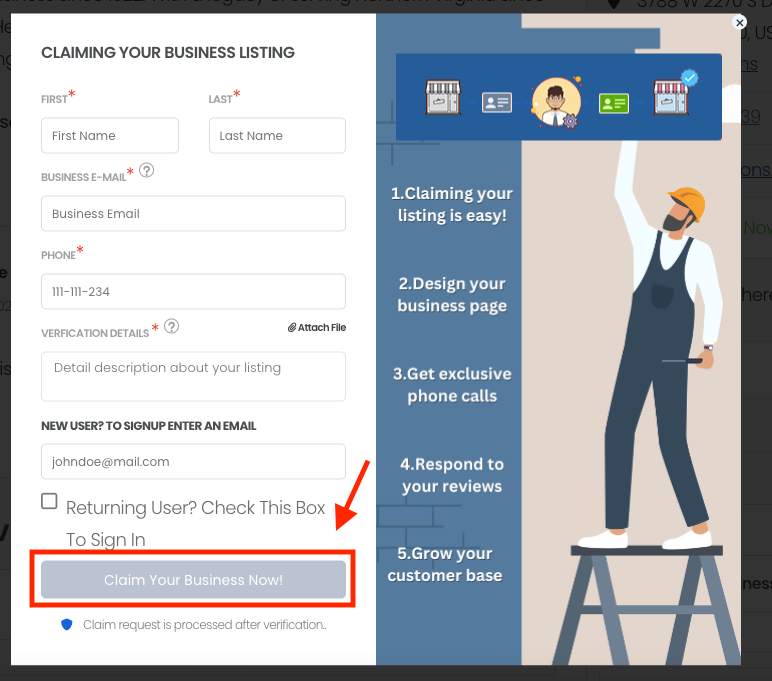
After completing the form, review the information you provided and ensure its accuracy. Then, submit the claim by clicking on the “Submit” button. Once you submitted the claim there will be an additional verification process from our team and that will vary depending on the workload and process.
After completing the form, review the information you provided and ensure its accuracy. Then, submit the claim by clicking on the “Submit” button. Once you submitted the claim there will be an additional verification process from our team and that will vary depending on the workload and process.
8. Confirmation and ownership:
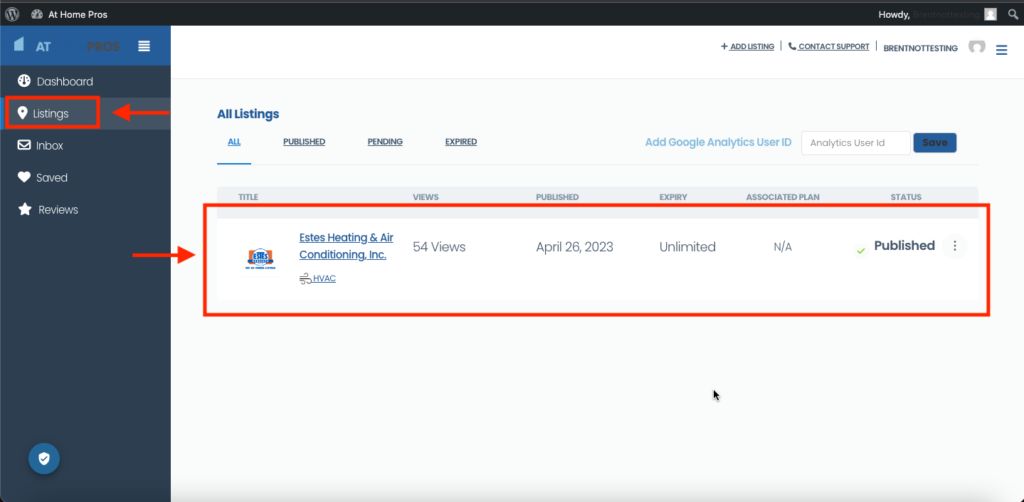
Upon approval, you will receive confirmation that the listing has been successfully claimed. You should gain access to additional features and functionalities associated with the listing under your dashboard.
Upon approval, you will receive confirmation that the listing has been successfully claimed. You should gain access to additional features and functionalities associated with the listing under your dashboard.
*Please note that you should be the real owner of the Claimed Listing, if we find any false information regarding the listing, your request won’t be entertained and Legal action can be taken.